
Cookie consent
Ask for consent, and keep a record of every answer.
Our analytics sets no cookies of its own, so counting visitors needs no banner. When your other tools do need a yes, add our banner. It holds back the tags you mark, shows you anything still running without consent, keeps every answer, and comes with a cookie policy written from what your site really runs.
The cookie banner and consent log are on every plan, Free included.
- 0
- cookies of our own from analytics
- 4
- cookie categories on the banner
- 4
- ways to choose who gets asked
- Every plan
- has the banner and the log
What you get
Anything without a plan label comes with every plan, including Free. The pictures are the real dashboard, from our demo shop with made-up visitors.
What your site runs
Find the tag that ignores a “no”, and fix it.
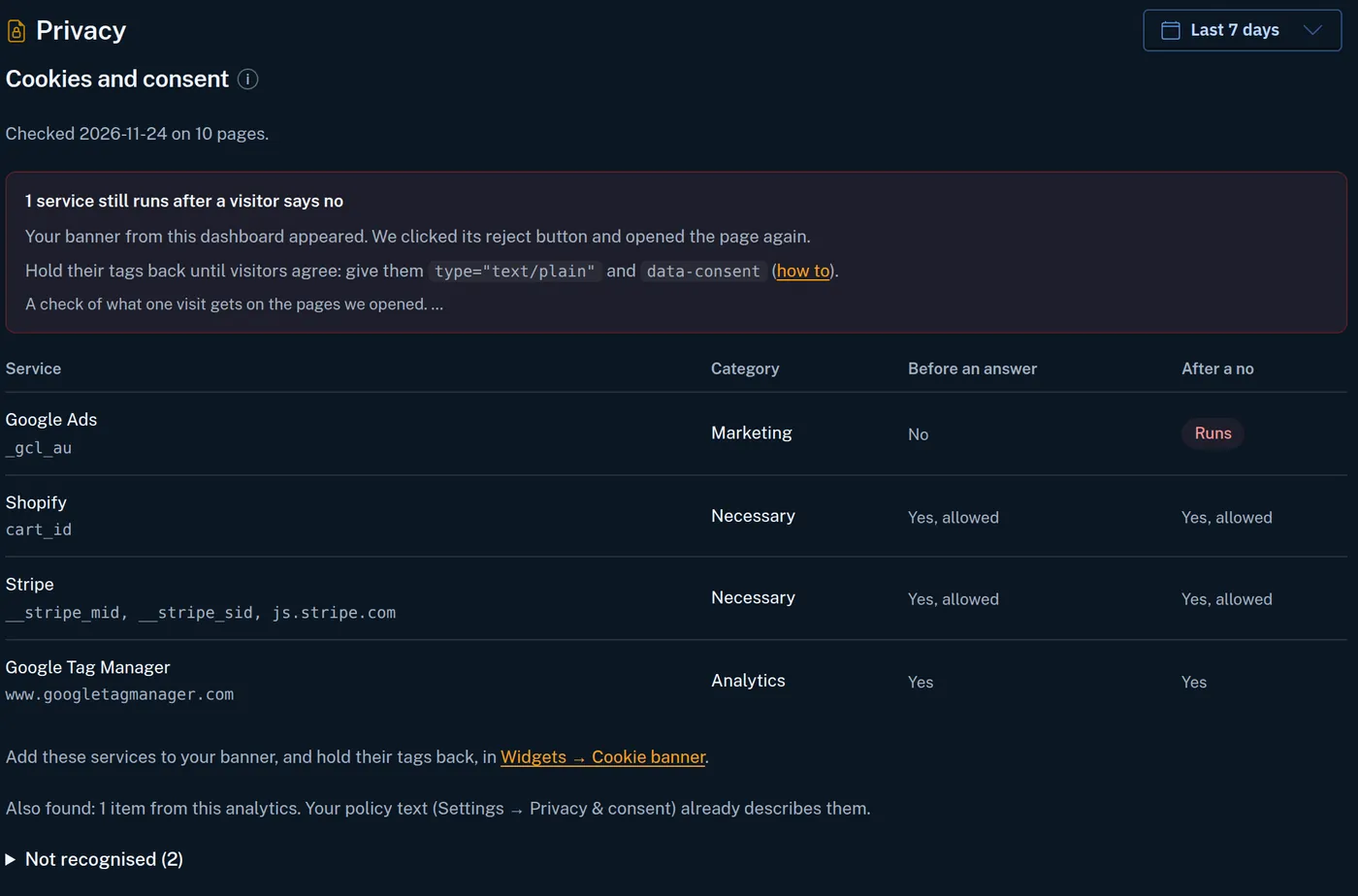
Your tracker lists the cookies and outside services it sees on your pages, and how many visits had each one before an answer or after a no. On Basic and Pro we also open your pages as a new visitor, click reject and list what still loads. Anything missing from your banner is one click to add.
Found on your site
- Every cookie and service Seen on your pages in the last 30 days, by name and category. Names only, never what’s in them.
- Running without consent The visits where each one ran before an answer, or after a no.
- In your banner? Each service says whether your banner lists it. Add the missing ones from the list.
The privacy scan From Basic plan
- 5 pages as a new visitor Opened fresh in a real browser, with no answer given yet.
- Before an answer Every service and cookie that loads before the visitor has said anything, and how long each is kept.
- After a “no” It clicks reject and lists what still runs, so the tag ignoring it shows up by name.
- Which banner showed Ours, Cookiebot, OneTrust, CookieYes or one of a dozen others, or none at all.
- Checked every week Run it again any time, or weekly, and see it under Needs attention when something starts tracking without a yes.
The record
An answer for when someone asks what they agreed to.
Every choice is kept with an ID the visitor finds under Cookie settings on your site. Search for it and you see what they allowed, when, where, and the exact banner they saw. Your cookie policy is written from your real settings, so it matches what you run.
The consent log
- Every answer Analytics, functional and marketing, yes or no, with the time, the country, the device and the page.
- Find one by its ID Paste the consent ID a visitor quotes to you, and their answers come up.
- The banner they saw Each answer keeps the version of the banner it was given on. Click it to read that wording.
- Download it The latest 100 on the page, up to 5,000 in a CSV.
Your cookie policy
- Written from your settings Analytics, recordings, heatmaps, error reports and any forms, surveys, feedback or tests you run.
- With the cookies we saw The cookie names the scan found, under each service you listed.
- Copy and paste As text or as HTML, with your name and contact email. Change a setting and copy it again.
Our own tools
Counting visitors stores nothing, and a “no” stops the recording.
By default our analytics sets no cookies and writes nothing to the visitor’s browser. Visitor IDs change every day, and we don’t keep the internet address with your analytics. Session recordings wait for the visitor’s answer, from our banner or the consent tool you already use.
How visitors are counted
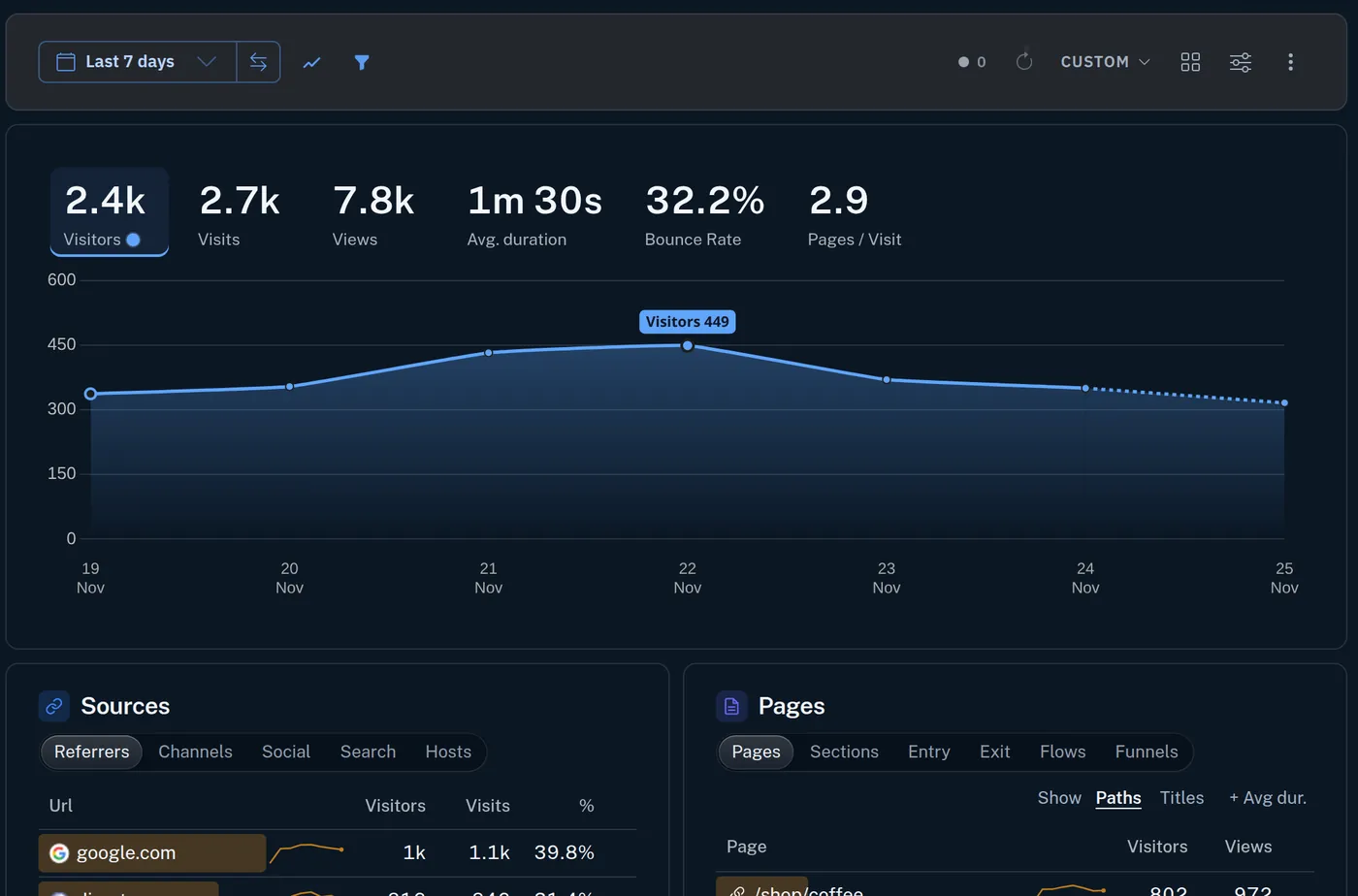
- No cookies of our own Plain analytics writes nothing to the browser at all.
- A new ID every day Visitor IDs change daily, and the key that makes them is thrown away.
- No addresses in analytics The internet address isn’t kept with your visits.
- Delete means delete Deleting a site erases it from every table we keep.
Recordings From Basic plan
- Follows consent A “no” stops recording, with our banner, Cookiebot, OneTrust, CookieYes, Complianz or Google Consent Mode.
- Told who it leaves out Replay settings say when nobody, or nobody in Europe, will be recorded because nobody is asked.
- Typing never recorded What visitors type is left out, emails and long numbers are masked.
- Checkouts and logins skipped Those pages aren’t recorded unless you choose otherwise.
- Only when there’s a problem Record a visit only if the visitor reports a problem, instead of recording everyone.
Questions people ask
Does SiteGoose set cookies?
We don’t set cookies of our own. By default, counting your visitors stores nothing in their browser at all.
When would I use the banner?
If you turn on recordings, or run other tools on your site that need consent. The banner is on every plan, Free included.
How do I know the banner is working?
Found on your site lists every service your visitors met before an answer or after a no. On Basic and Pro, the privacy scan opens 5 of your pages as a new visitor, clicks reject, and lists anything that still loads.
I already have a consent tool. Do I get two banners?
No. On a page with Cookiebot, OneTrust, CookieYes, Complianz or another tool, ours stays hidden and uses that tool’s answer.
Can a visitor prove what they chose?
Yes. Every answer goes in the consent log with an ID they can quote, and the version of the banner they saw.
Does this make my site legal?
It helps you ask for consent, hold tags back and keep a record. Whether your site meets the law where you are is a question for your own adviser.
Put a goose on your site.
Add the banner when you need it, and keep a record of every answer. See it all