
Error logging
Catch the bugs you’d otherwise never see.
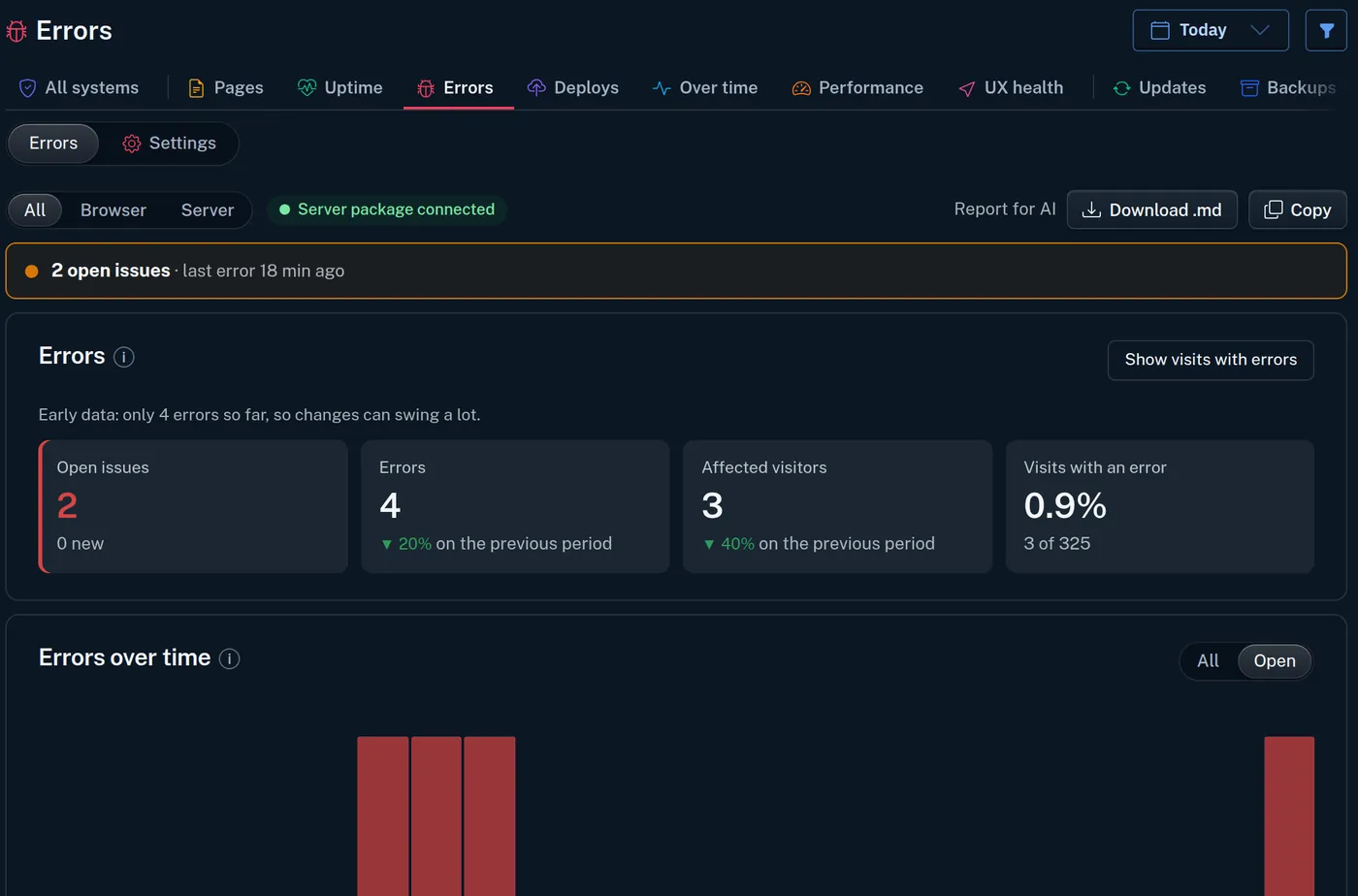
Errors from your visitors’ browsers and your server, grouped into one issue per bug. See the original code, what the visitor did just before, and how much each error is costing you, so you fix the right one first.
On every plan, with the tracker tag. Server errors need our package for Node, Python, PHP, Ruby, Java, .NET or Go.
- 15
- clicks, page changes and failed requests kept before each error
- 1 an hour
- at most: new error emails per site, never a flood
- 7, 30 or 90 days
- of errors kept on Free, Basic and Pro
What you get
Anything without a plan label comes with every plan, including Free. The pictures are the real dashboard, from our demo shop with made-up visitors.
One issue per bug
A to-do list, not a log flood.
The same error a thousand times is one issue, and it stays one issue across your deploys. Open it to see everything about it, fix it, mark it resolved. If it comes back, it reopens by itself.
The list
- Grouped repeats Each bug is one issue, marked New or Regressed, that survives deploys.
- An email, not a flood A new error emails you automatically, at most once an hour per site.
- Errors day by day A bar a day: red with the number of errors, green on a day with visitors and no errors, grey when nobody came.
Open one
- The original code Source maps turn minified stacks back into your code, and show which release brought the error in.
- Who it hit How many times, how many visitors, first and last seen, and the browsers, systems and status codes behind it.
- The visits that hit it One click filters the whole dashboard to those visits.
- What happened before The last 15 clicks, page changes and failed requests, and the recording at the moment it broke.
Fix it and close it
- Create an issue Opens a new issue on GitHub or GitLab, filled in, signed in as you. Anything else, it’s copied as Markdown.
- Copy for your AI assistant Everything about the error as Markdown, ready for Claude Code or Cursor.
- Resolve or ignore Resolved means fixed. Ignored leaves it out of every count and chart.
- Reopens by itself A resolved error that comes back is marked Regressed, so fixes stay honest.
Releases
See which release broke it.
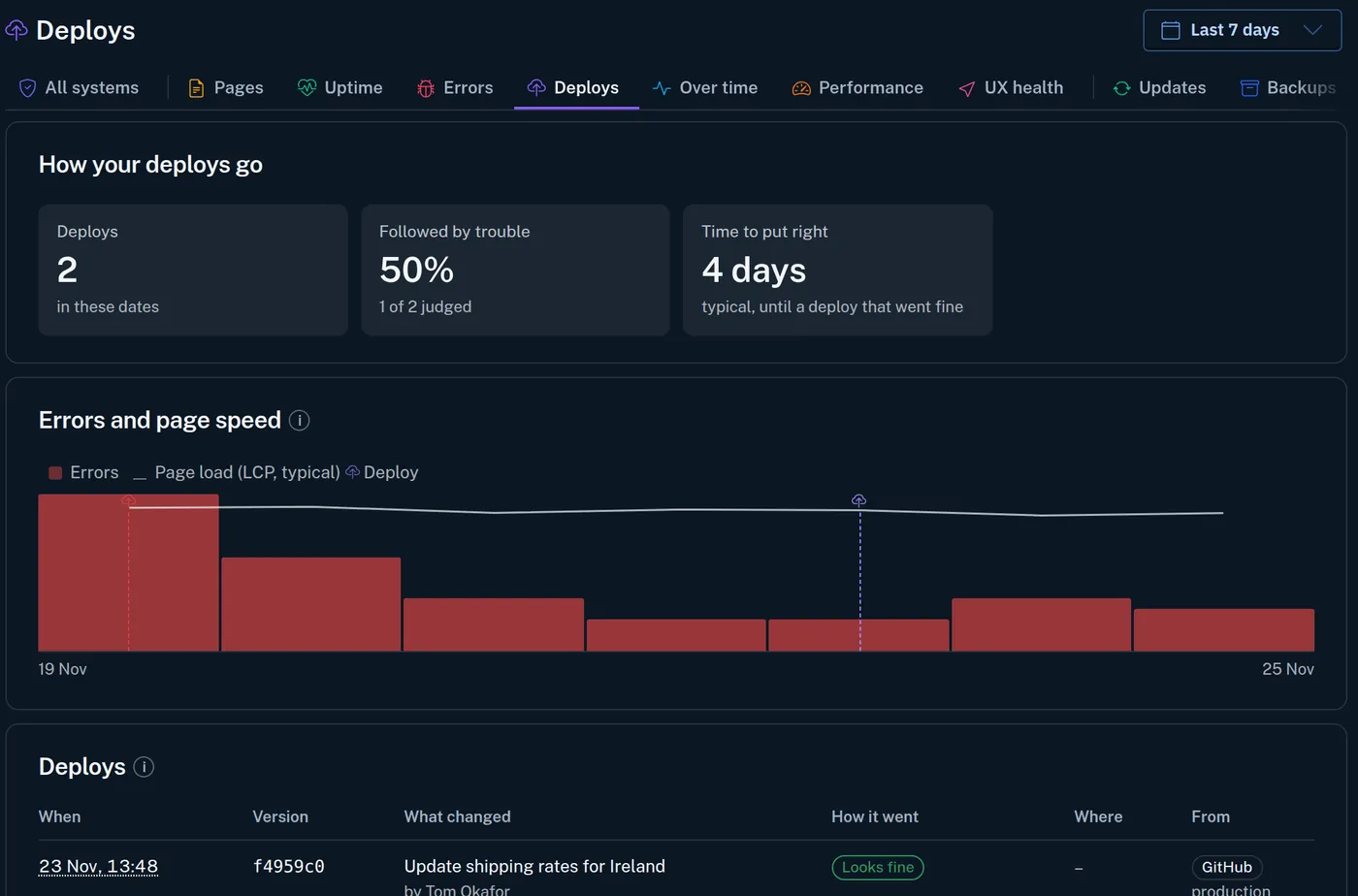
Every version you put live is listed, wherever it came from, and marked as followed by trouble or fine. See how often a release goes wrong and how fast it’s put right.
Deploys
- Wherever you ship from GitHub, GitLab, Vercel, Netlify, your CI, or our server agent. A new build seen in visitors’ speed data counts too.
- On the chart Each release shows as a note on your charts.
How your deploys go
- Trouble or fine Each release marked by whether trouble followed it.
- Time to put right How often you ship, how often it goes wrong, and how long it took to fix.
- Errors and speed by release A chart of errors and page speed with each release on it.
What happened
See what happened without asking.
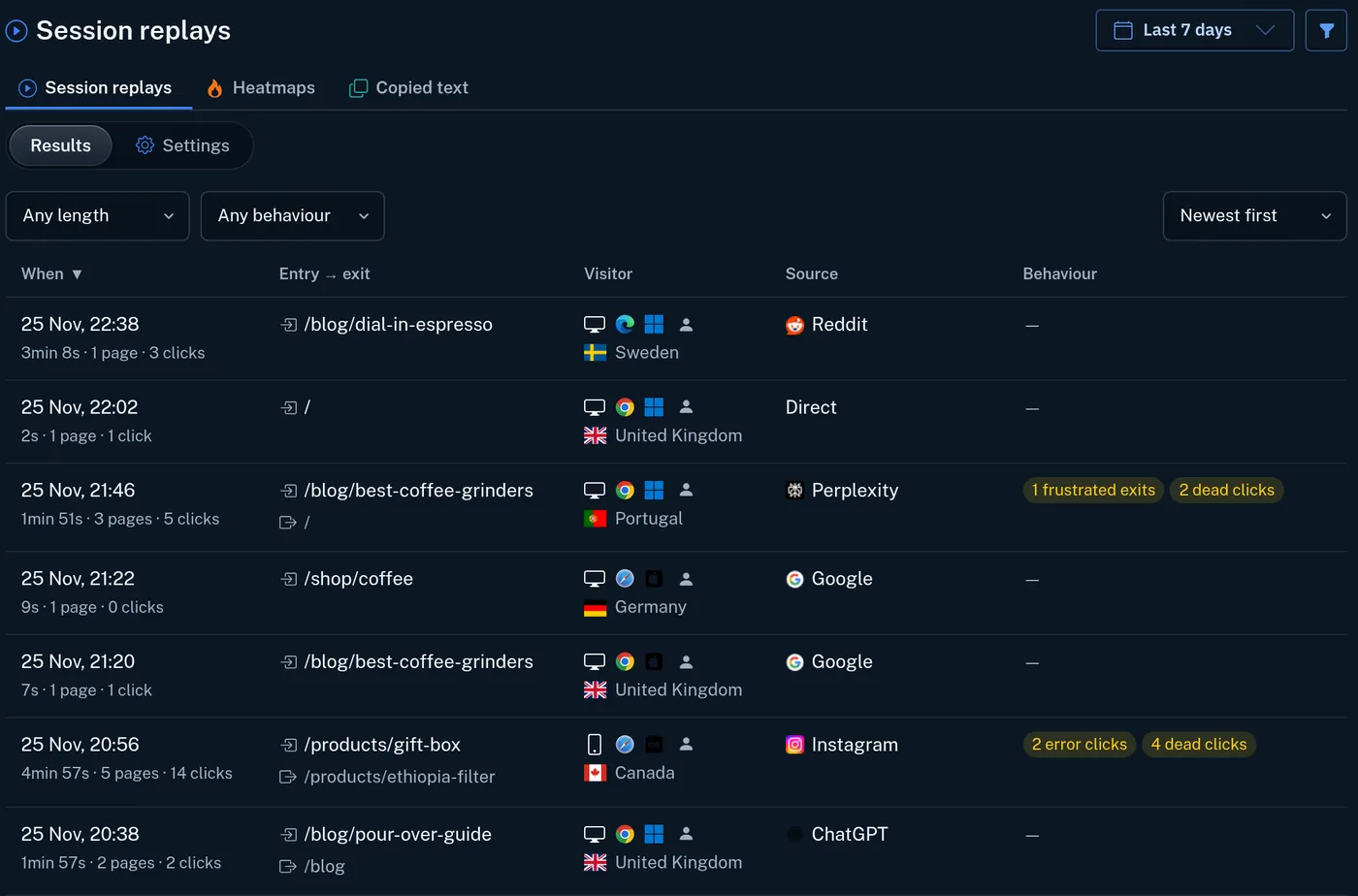
Every error comes with the steps that led to it. If the visit was recorded, open the recording at the moment it broke and watch the bug happen.
The lead-up
- Breadcrumbs The last 15 clicks, page changes and failed requests before the error.
- Replay from the error Opens at the moment it broke, when the visit was recorded.
- Bug reports from visitors A feedback button where visitors point at what’s wrong. It arrives with the errors and a masked snapshot of the page.
What it costs
Fix the one that costs most.
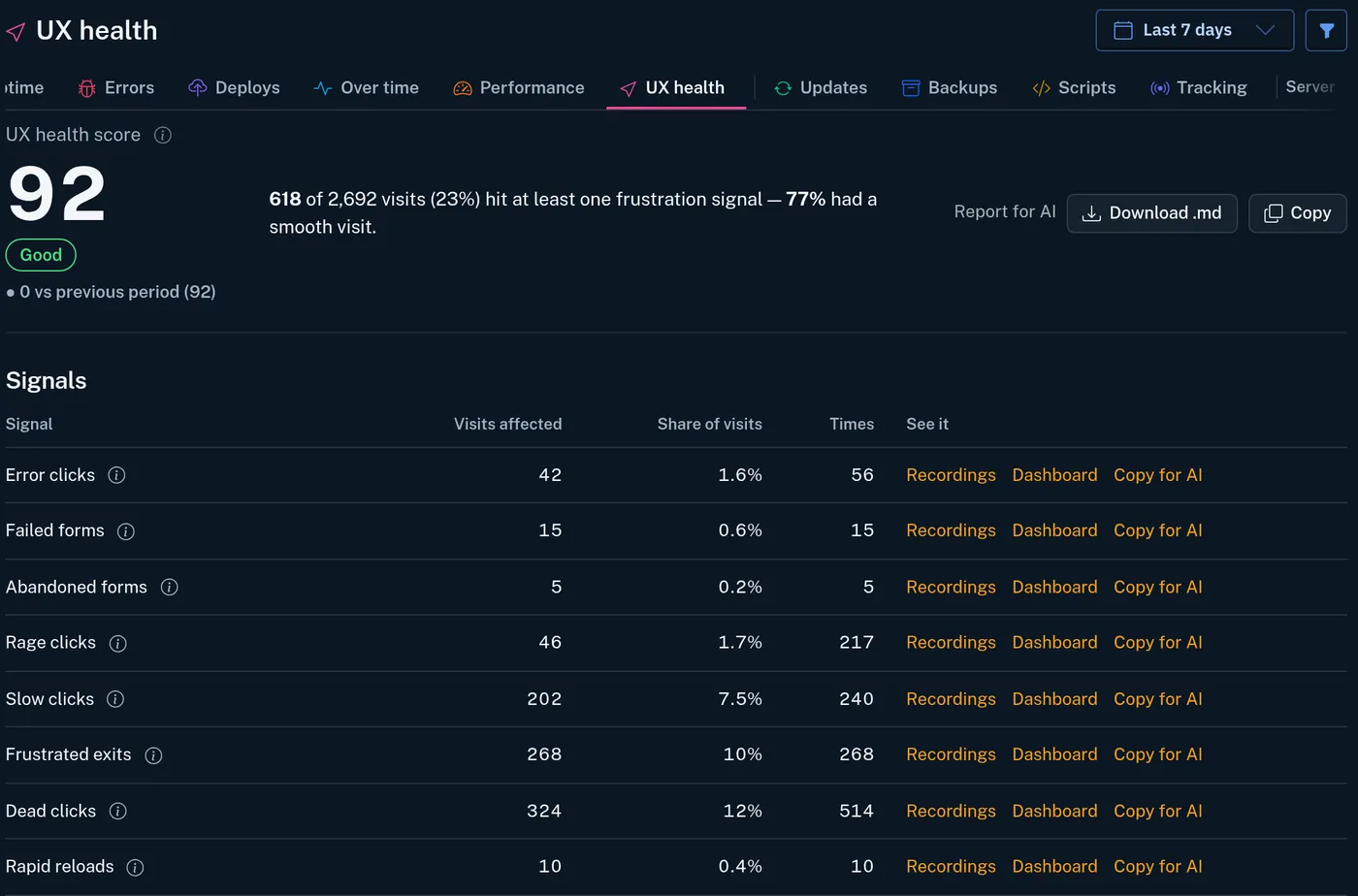
Visits that hit an error are set against clean visits, on conversions and revenue. And some trouble never throws an error at all, so we watch for the signs people are struggling too.
Money at stake
- What errors cost Conversions and revenue from visits with an error, against clean ones.
Trouble without an error From Basic plan
- Frustration signals 12 signs such as rage, dead, error and slow clicks, U-turns and failed forms.
- UX health score A score out of 100, split by page, source and device.
Server errors
One view of a failed checkout.
Add our server package and your server’s errors sit beside the browser’s, linked to the same visit. It also finds the requests that failed and logged nothing.
From your server Needs an install
- Server errors Beside browser errors, linked to the visit that hit them.
- Swallowed failures Routes that answered with a server error and reported nothing. What your logs hide.
- Node, Python, PHP, Ruby, Java, .NET and Go Express, Next.js, Django, FastAPI, Laravel, WordPress, Rails, Spring Boot, ASP.NET Core, gin and more.
Questions people ask
Do I need to install anything?
Browser errors come with the tracker tag you already have. Server errors need our package for Node, Python, PHP, Ruby, Java, .NET or Go, or the WordPress plugin.
What does it catch?
Uncaught JavaScript errors in your visitors’ browsers and, with a server package, your server’s errors and the routes that failed without logging anything.
Will I get an email for every error?
No. A new error emails you automatically, at most once an hour per site. Repeats join the issue they belong to.
My code is minified. Can I read the stack?
Yes. With source maps, the stack shows your original code, with the release that brought the error in.
How long are errors kept?
7 days on Free, 30 days on Basic and 90 days on Pro.
Can I see what the visitor did?
Every error has the last 15 clicks, page changes and failed requests before it. If the visit was recorded, the recording opens at the moment it broke.
Put a goose on your site.
Your first errors show up as soon as the tracker is on your site. See it all